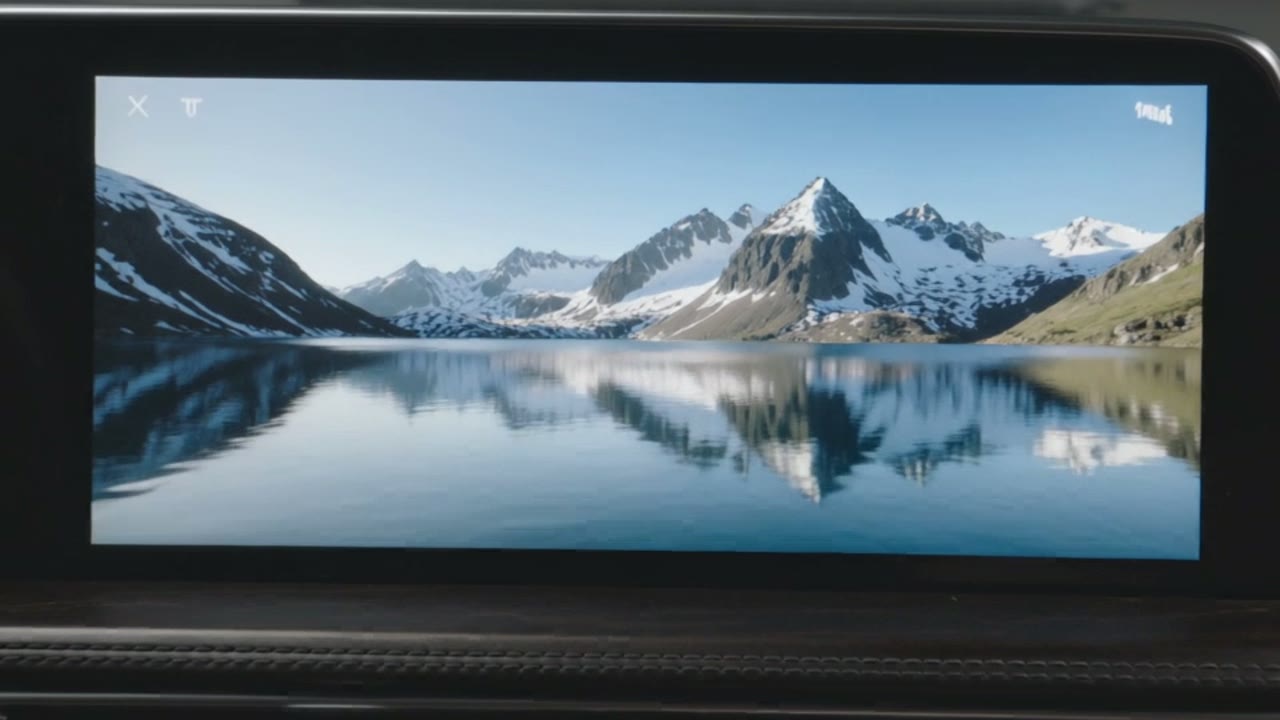
- Way 1, Apple official: iOS 26 allows video on CarPlay while parked, with a built-in driving lock. But the carmaker has to opt in, and so far none has.
- Way 2, app: APTV from the App Store, free base, Pro €5.99. No extra hardware. In my test the video kept playing when the car rolled.
- Way 3, hardware: Android boxes for the USB port, about $110 to $400. Netflix, YouTube and others straight from the Play Store.
- For all three: illegal while driving in Germany and most countries.
The law first #
Watching video while driving is illegal in Germany and in most other countries. German law (§23 (1a) StVO) only allows screens while driving if a brief glance is enough. A film never is. Built-in displays included.
German fines: from €100 plus a penalty point, more with endangerment, including a driving ban. After a crash, insurers can cut cover for gross negligence.
Everything on this page is for breaks, charging stops and waiting in a parked car. Not for driving. Not even “just for a second”.
I am writing this guide anyway. Because people keep asking after my video, and an honest answer beats a bare link without context.
Way 1: Apple official, but nowhere yet #
With iOS 26, Apple allowed video on CarPlay for the first time. The feature is called “AirPlay video in the car”: you watch videos from your iPhone on the car screen, but only while parked. Once the car moves, playback stops automatically.
The catch: every carmaker decides whether to enable it. As of May 2026, according to 9to5Mac, not a single carmaker had announced support. It runs in the CarPlay Simulator on a Mac, not in a real car so far.
The official route has a driving lock. The other two don’t. That is the whole difference.
Way 2: the APTV app #
This is what I tested. APTV is actually an IPTV player, an app for video streams. It is in the official App Store, made by Suzhou Xiying Guangnian Technology in China. The base app is free, APTV Pro costs €5.99. The store listing openly advertises video playback via CarPlay and a built-in browser.
How it worked for me
- Install APTV on the iPhone. I used an iPhone 15 Pro.
- Connect the iPhone to CarPlay. No settings had to be changed.
- Open APTV on the CarPlay screen. The quick-access area has a browser with YouTube already pinned.
- Start a video. Controls are a bit clunky, but it works.
When the car rolled, the video kept playing. I did not notice any driving lock like the one in Apple’s own solution. That is why this article starts with the law.
Two caveats. First: use legal sources only, YouTube, your own subscriptions, public broadcasters. IPTV playlists circulating online are often unlicensed, and you won’t find tips for them here. Second: in 2025 Apple removed exactly this kind of CarPlay video feature from another app after review. APTV is in the store as of October 5, 2026. Whether it stays, nobody knows.
Way 3: Android boxes from about $110 #
Retailers usually call the hardware option a “CarPlay AI box”. It has little to do with AI. It is a small Android computer that plugs into the car’s CarPlay USB port and presents itself to the car as CarPlay. It runs apps from the Google Play Store, including Netflix, YouTube, Prime Video and Disney+. No iPhone needed.
| Device | Approx. price | Specs |
|---|---|---|
| Carlinkit R2 | $109 | 4 GB RAM, entry level |
| Ottocast P3 Lite | €116 | 4 GB RAM, 64 GB storage |
| Ottocast P3 Pro | $219 | Snapdragon 6225, Android 13 |
| Bruxe R6 | $180–240 | Mid-range |
| Carlinkit Tbox Ultra | $359–399 | Top model, 4K output |
As of Oct 5, 2026 · prices vary a lot by retailer · sources: CarPlayHacks, CarTechStudio, eBay.de
Before you buy: almost all of these boxes come from Chinese manufacturers, you sign in with a Google account, some have their own SIM card. If privacy matters to you, factor that in. And they usually have no driving lock either.
All three compared #
| Apple official | App (APTV) | Android box | |
|---|---|---|---|
| Cost | $0 | $0 / €5.99 Pro | about $110–400 |
| Available | in no car yet | now | now |
| Driving lock | yes | no (my test) | usually no |
| Risk | none | app may disappear | privacy, vendor |
| Streaming apps | AirPlay-capable apps | browser, streams | full Play Store |
Why I still hesitate #
After a few minutes, the app wasn’t the interesting part anymore. The interesting part was that Apple built the lock on purpose, and an app from Apple’s own store simply doesn’t have it.
I see the same thing in AI right now. An AI agent researches, writes and operates software for us via computer use. Agentic AI acts instead of just answering. Capability is moving faster than the rules for how we use it. That is why every system I build has a human gate: nothing goes out before a person has approved it.
“Can we build it?” may have become the least interesting question.// Alex G.
The more interesting one: just because we can, should we? For video in the car my answer is clear. During a break, yes. While driving, never.
More tests like this, every two weeks
What new tech can do, what it should do, and what I make of it. No hype.
FAQ
Can I watch video on the CarPlay screen?
While parked, yes. While driving, no. In Germany §23 (1a) StVO bans using screens in a way that distracts from traffic, which clearly covers watching video, built-in displays included. Fines start at €100 plus a penalty point. Most other countries have similar rules, check your local law.
Is the APTV app legal?
The app itself is, it is in the official App Store. What matters is when and what you watch: video only while parked, and only from legal sources. IPTV playlists found online are often unlicensed.
Does Apple’s official solution work yet?
iOS 26 technically allows video on CarPlay while parked. But the carmaker has to enable it. As of May 2026, according to 9to5Mac, no carmaker had announced support.
How much is a CarPlay box with Netflix?
Android boxes range from about $110 (e.g. Carlinkit R2) to around $400 (e.g. Carlinkit Tbox Ultra). Prices vary a lot by retailer and sale.
Will insurance pay if I crash while watching?
Third-party liability usually pays the other party. Cover for your own damage can be reduced for gross negligence, and watching video while driving is an obvious case.